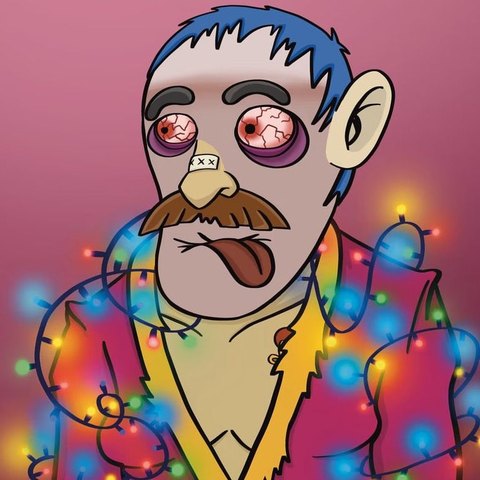
📺 For streamers
Play Vince' Survival of the Fittest on your TikTok LIVE – and let your viewers join in: a Rose sends rotters your way, a Corgi summons the viewer boss, a Donut a whole horde. Free, no game account and no TikTok password needed.
🎮 Open the game📥 Get TikFinity ↗
What you need
- a PC or laptop (Windows or Mac) – live mode doesn’t work on phones because the keys come from the PC
- the game in your browser: watchvince.at/spiel
- the free app TikFinity (connects your TikTok LIVE to the game)
- your TikTok LIVE – via TikTok LIVE Studio, OBS or Streamlabs
Install and connect TikFinity
Download the desktop app from tikfinity.zerody.one and sign in, ideally via QR code or SMS. Enter your TikTok name (e.g. @yourname). Never type your TikTok password into third-party windows – TikFinity doesn’t need it.
Turn on live mode in the game
Open the game, go to ⚙️ Settings → 📺 Streaming & TikTok LIVE and switch on 📡 TikTok LIVE mode. Optionally also streamer mode: codes get blurred, tips disappear and an info bar runs along the bottom.
Create actions in TikFinity
In TikFinity under Actions & Events → New action: choose “Simulate keystroke” and enter the key from the table below (e.g. Ctrl + Alt + 1, written in TikFinity as ^%1). Duration: 1 second. The free version has 5 actions – enough to start.
Link gifts
Under Events you connect a gift to an action, e.g. Rose → action 1. We recommend a queue of 20 for screen 1 and 5 for the others.
Adjust the gift board
A small board on the right of the game shows which gift does what. Enter your gifts in the settings so your viewers instantly know what happens.
Game to the front – go!
TikFinity presses keys in the currently active window. Click into the game once before going live so it’s in front. Test every action with the “Test” button in TikFinity.
The 9 actions and their keys
| Key | In TikFinity | What happens | Our suggestion |
|---|---|---|---|
| Ctrl + Alt + 1 | ^%1 | 🧟 3 rotters arrive | Rose |
| Ctrl + Alt + 2 | ^%2 | 🌭 Sausage – heals you | Finger Heart |
| Ctrl + Alt + 3 | ^%3 | 💣 Extra grenade | – |
| Ctrl + Alt + 4 | ^%4 | 🧃 Godly Juice full | Hat & Mustache |
| Ctrl + Alt + 5 | ^%5 | 👹 Viewer boss (up to 2 at once, others wait) | Corgi (bigger gift) |
| Ctrl + Alt + 6 | ^%6 | 🧟♂️ Rotter horde (10) | Donut |
| Ctrl + Alt + 7 | ^%7 | 🎁 Gift crate | – |
| Ctrl + Alt + 8 | ^%8 | 🪙 Coin rain (+50) | – |
| Ctrl + Alt + 9 | ^%9 | 🧊 Ice age – all rotters frozen for 3 s | – |
⌨️ Instead of Ctrl + Alt + number you can also use keys 1–9 on the numpad. The normal number keys at the top stay free for playing – no conflict with the controls.
Good to know
- Any gift works: you can use any gift – pricier ones too. Our suggestions in the table are just a starting point.
- More is coming: more viewer actions are in the works – your wishes count.
- It stays fair: runs with live mode on don’t count for the leaderboard.
- Not everything at once: actions run one after another (one every 1.2 seconds). At most 10 rose actions (30 rotters) and 5 hordes (50 rotters) wait at the same time – anything beyond gets a “thank you” on screen so donors see it arrived.
- Co-op: in co-op only the host controls viewer actions.
- Watermark: in live and streamer mode a small “watchvince.at” appears bottom right – so your viewers can find the game.
- Streaming is explicitly allowed – videos and clips too. A shout-out to @watchvince is appreciated!
Questions or ideas for new viewer actions? Write to me via the feedback form or on TikTok @watchvince.
No guarantee. TikFinity is a third-party app and not part of WatchVince.